Guide
Ordering, stage by stage, with a free live test built into each one
Upopbuy’s own order flow cannot be followed today because the site does not load. The stages below are the ones any buying agent uses, illustrated where possible with Upopbuy’s app screenshots, and each one doubles as a free check that the agent is still working. Where no screenshot exists, we drew the screen ourselves; each drawing is labelled as an illustration of a typical agent, not an Upopbuy screen.
Sections on this page
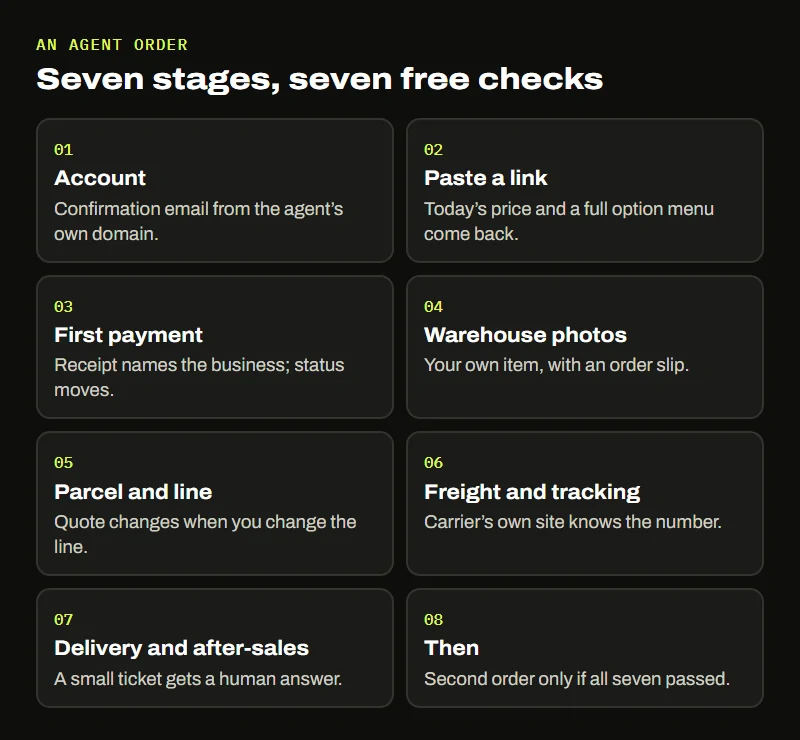
Seven stages, step by step
Sign up, then time the confirmation email
Every agent starts with an account: an email address, a password, sometimes a phone number and a choice of currency. Pick the currency you will actually pay in, because it decides which conversion you see on every later screen.
Most agents send a confirmation link. Read where it comes from. A message from the agent’s own domain, arriving within a few minutes, tells you the mail side of the business is alive. A message from a free webmail address, or nothing at all after an hour, goes in your log.
Live test: the confirmation email arrives from the agent’s own domain within minutes.
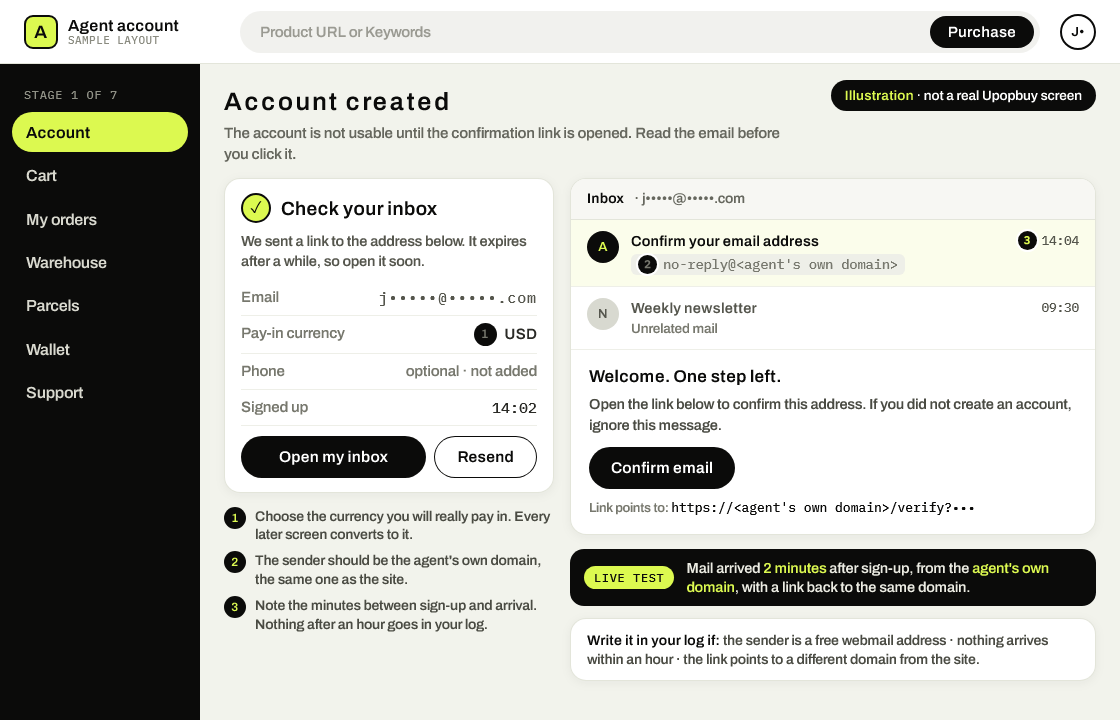
Open Sign illustration, not a real account screen. Upopbuy’s website could not be reached on 24 October 2026, so this is the sign-up step as most agents run it, drawn in Upopbuy’s black and lime; it does not mean Upopbuy is taking sign-ups. Read three things off the email: the sender’s domain, the minutes since you signed up (two in this example), and the domain the confirm link points to. Hand over a marketplace address or a keyword
Agents take orders in one of two ways. You paste the address of a Taobao, Tmall, 1688 or Weidian listing into a search bar, or you search by keyword inside the agent’s own copy of those marketplaces. Upopbuy’s app screenshots show exactly this: one bar labelled “Product URL or Keywords” and a black “Purchase” button beside it.
What comes back is the agent re-reading the listing: title, photos, the option menu and current prices. If a pasted link returns an old price, an empty menu or an error, the part of the agent that talks to the marketplaces may be broken, even when the homepage looks fine.
Live test: a link pasted today returns today’s price and a full option menu.
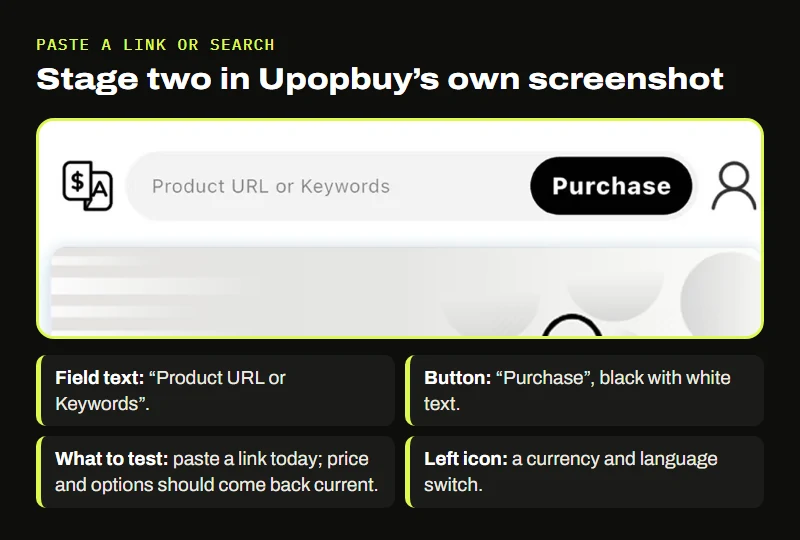
Upopbuy App Store screenshot, marked up by Open Sign. The paste-or-search bar in Upopbuy’s own screenshot. Every agent has some version of it. Settle the goods plus local courier charges
The first payment usually covers the item, the seller’s domestic delivery to the agent’s warehouse, and the agent’s service charge if it has one. International shipping comes later, once the goods have been weighed.
Within a working day the order status should move from “paid” to something like “purchasing” or “ordered from seller”. A status that stays frozen while money has left your account is the earliest point at which a stalled agent shows itself.
Live test: the receipt names the agent’s business, and the status moves within a working day.
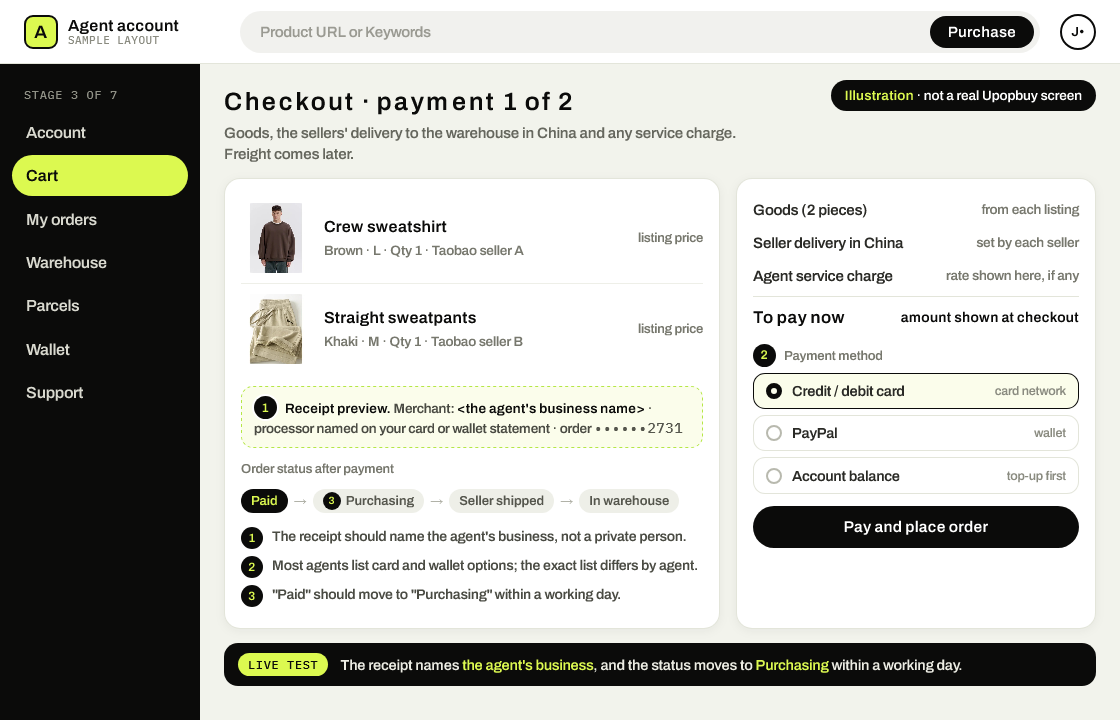
Open Sign illustration, not a real checkout. A typical first payment: goods, each seller’s delivery to the warehouse and any service charge, with freight left for later. There are no amounts because we found no Upopbuy prices we could verify, and nothing here says Upopbuy charges this way or takes these payment methods; the payment list differs from agent to agent. The two things to check are the merchant name on your receipt and a status that moves from Paid to Purchasing within a working day. Goods land in storage and get photographed
When the seller’s parcel reaches the warehouse, a worker unpacks it, compares it with your order line and takes pictures. These are the QC (quality check) photos. Upopbuy’s app put “Receiving Warehousing” and “Quality inspection services” among its four main entries, and its listing promised 90 days of free storage from arrival.
Photos of your actual item, taken recently, are proof that a warehouse with people in it is handling your goods. The warehouse photo page covers how to read them and the clues that they are fresh.
Live test: photos of your own item arrive, with a slip or label that matches your order.
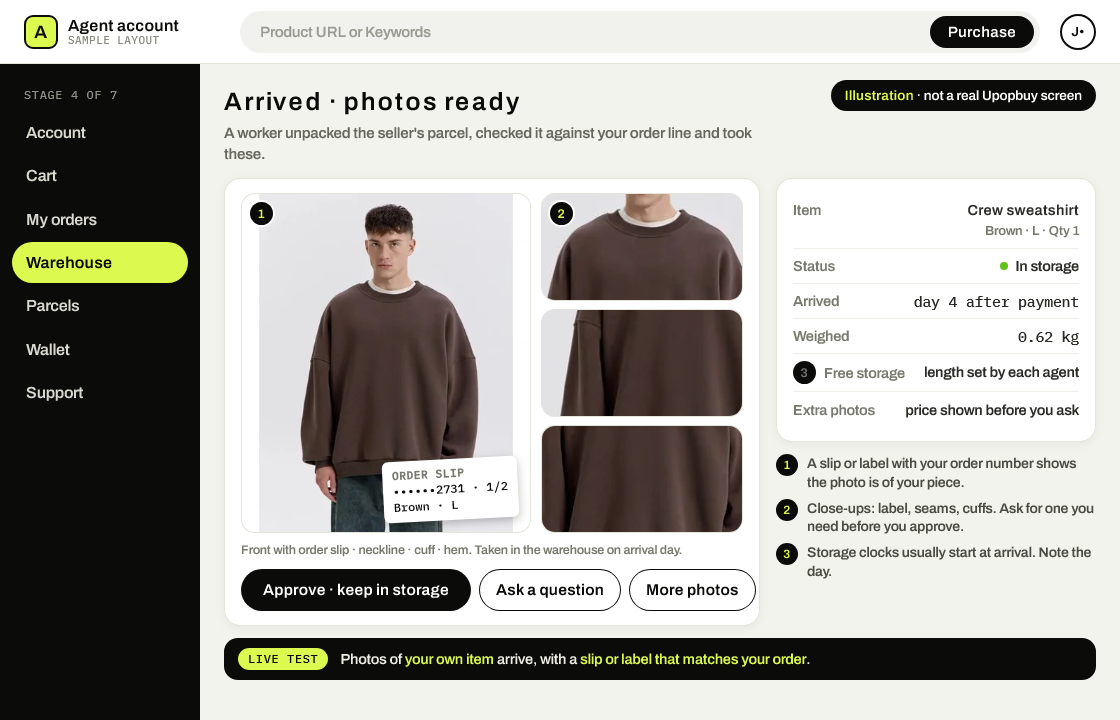
Open Sign illustration, not real warehouse photos. The pictures are one catalog listing image and crops of it; an agent’s photos are taken of your own piece. Most agents photograph each item on arrival and start a free-storage clock that day, with a length each agent sets. This is the common flow, not a record of Upopbuy’s warehouse, which we could not reach through its website on 24 October 2026. Look for a slip or label with your order number in the frame. Pack a parcel, then pick its route
Once the items you want are in storage, you select them and ask for a parcel. The agent packs them, weighs the box and offers a list of shipping lines with prices. Upopbuy’s screenshot shows a calculator with a sample result for the USA, 1000 g, ordinary goods: a line called SAL, 90 to 99 working days, from ¥135, with 18 lines available. That is an example inside a marketing image, not a price list.
A working agent recalculates the price when you change the line or remove an item. A list that never changes, or a parcel request that sits “pending” for a week, is worth writing down.
Live test: changing the line or the contents changes the quote straight away.
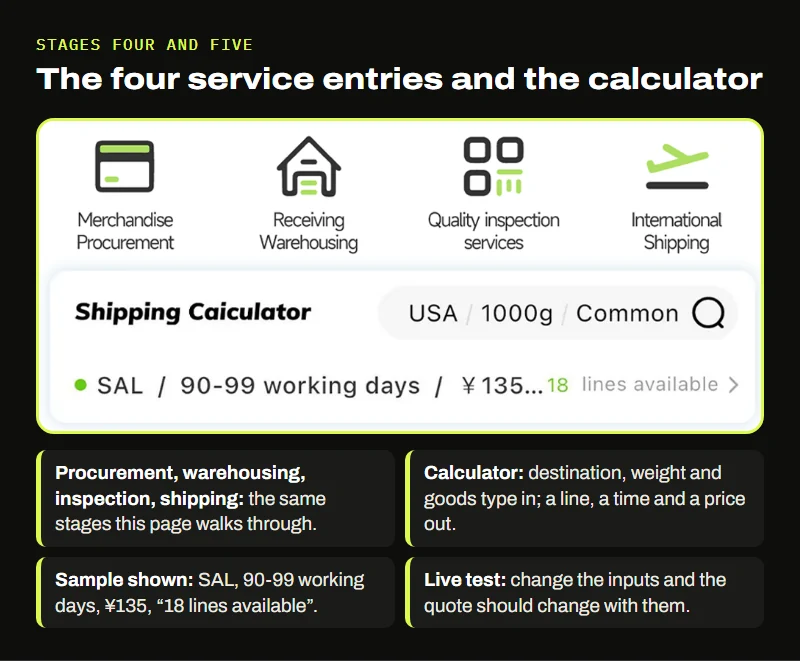
Upopbuy App Store screenshot, marked up by Open Sign. The sample quote from Upopbuy’s screenshot. The figures are display examples inside a promotional image. 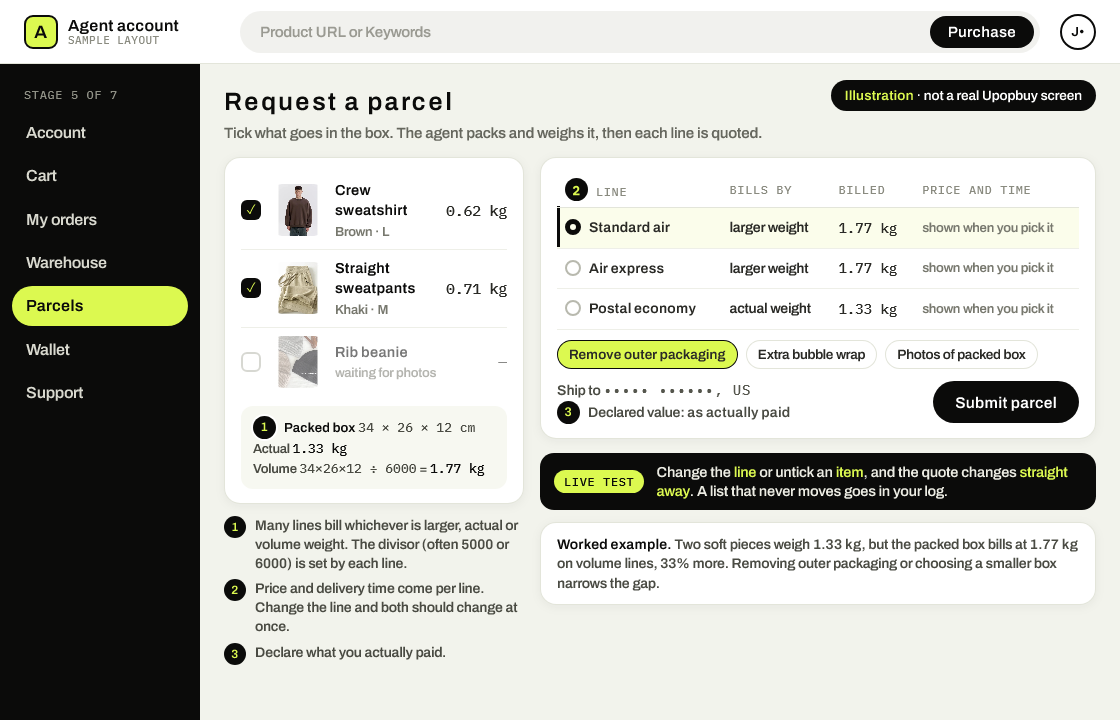
Open Sign illustration, not a real parcel screen. Worked example in weights only: two soft pieces weigh 0.62 kg and 0.71 kg, 1.33 kg together. Packed in a 34 × 26 × 12 cm box they come to 34 × 26 × 12 ÷ 6000 = 1.77 kg by volume, so a line that bills the larger weight charges for 1.77 kg, a third more. Line names are generic and prices and times are left blank because no Upopbuy freight table could be verified; this is how agents typically quote, not an Upopbuy quote. Declare what you actually paid. Pay the freight and receive a tracking number
The second payment covers international shipping and any packing extras. After it clears, the parcel leaves the warehouse and you get a tracking number. The shipping page explains billed weight and the line types you will see.
Paste the tracking number into the carrier’s own website, or a general tracking site, not only the agent’s page. A number that the carrier recognizes is independent proof that the parcel exists. A number that only works inside the agent’s app proves much less.
Live test: the tracking number works on the carrier’s own site within two days.
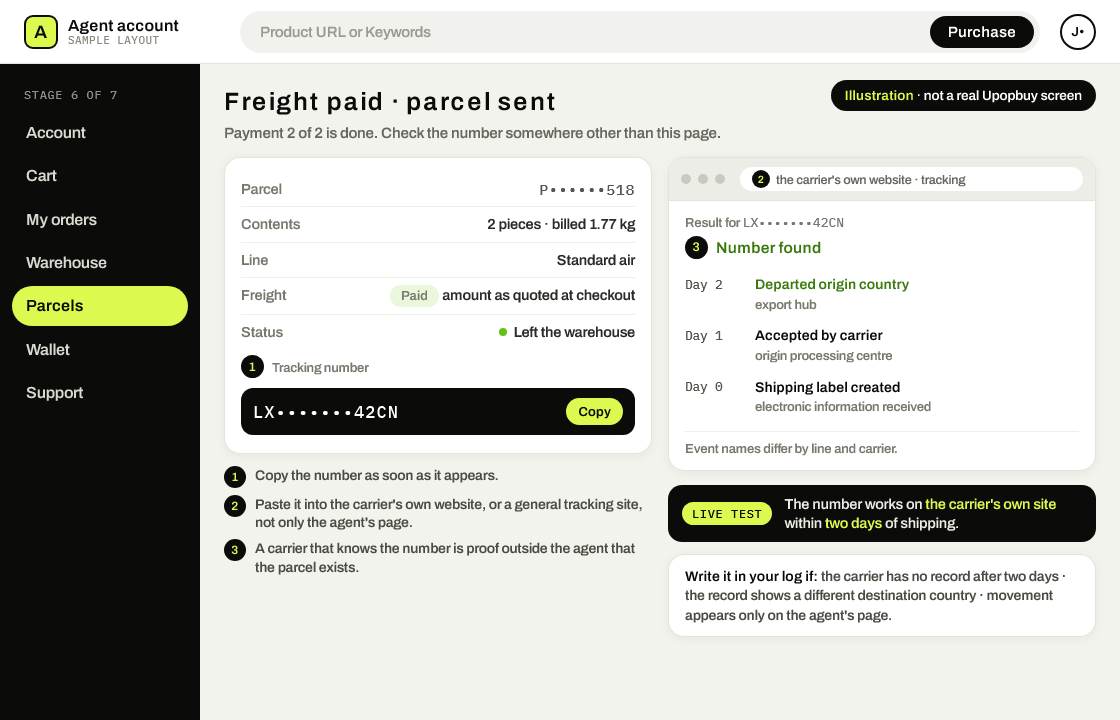
Open Sign illustration, not a real tracking page. The number is masked and the carrier page is generic. Most agents show the tracking number once freight is paid; copy it into the carrier’s own site and expect a first record within two days. It is drawn as a typical agent flow and does not show Upopbuy shipping parcels today; its website could not be reached on 24 October 2026. Delivery, import charges and after-sales
On arrival your country may charge import duty or tax, collected by the carrier before or at delivery. The amount depends on where you live and what is in the box; keep the agent’s invoice in case the carrier asks for it.
If something is missing or damaged, open an after-sales ticket with the agent and attach photos of the box before and after opening. How the agent handles a small after-sales question is the last live test of the order, and the most telling one before you place a second order.
Live test: an after-sales ticket gets a human answer inside two working days.
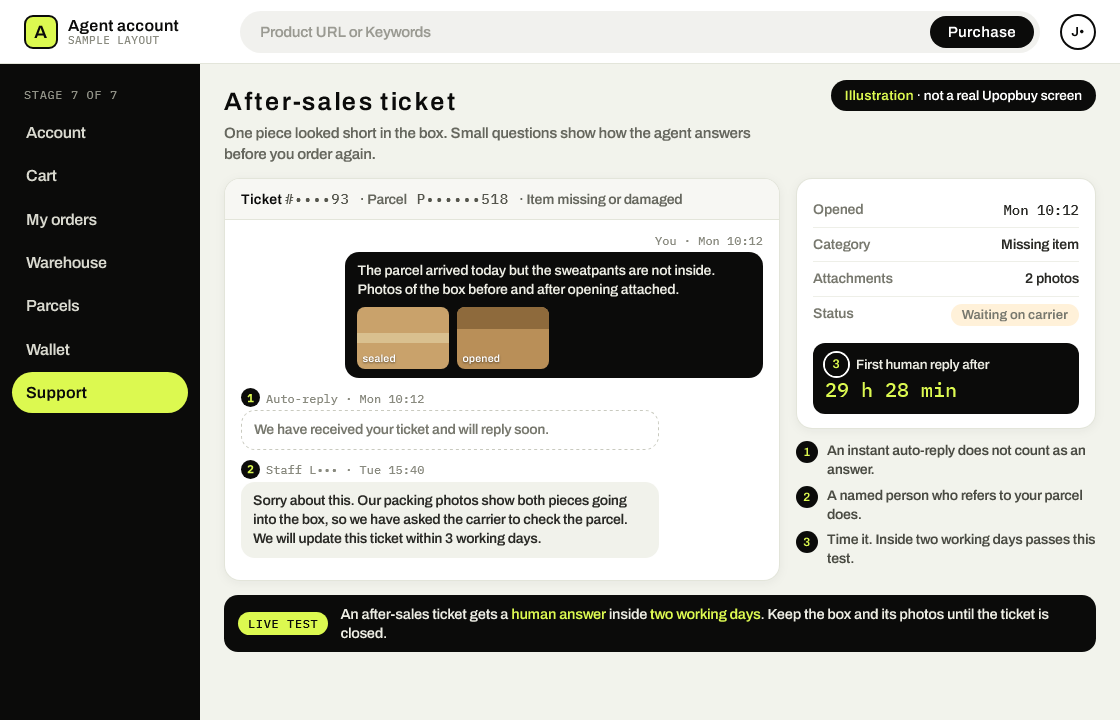
Open Sign illustration, not a real support thread. The ticket is invented to show the timing test. The auto-reply at 10:12 on Monday does not count; the first human reply at 15:40 on Tuesday comes 29 hours 28 minutes later, inside two working days. Attach photos of the box before and after opening. Like the other screens on this page, it shows how agents commonly handle tickets, not Upopbuy’s support, which we could not reach through its website on 24 October 2026.
Taking an Open Sign card to the agent of your choice
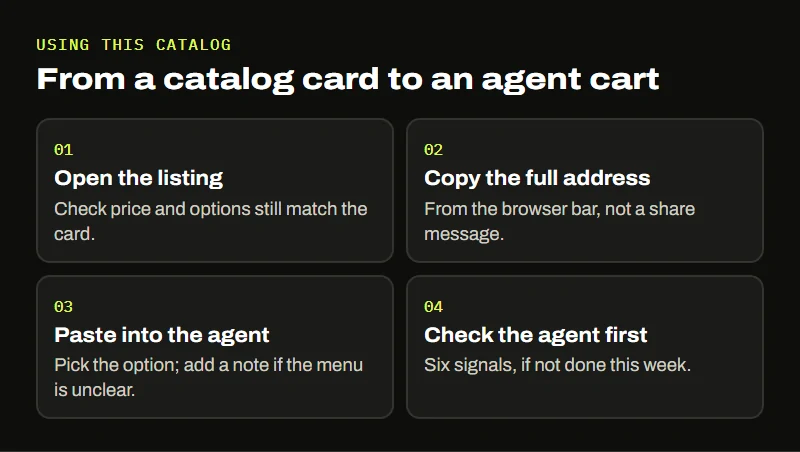
The catalog is built to feed the second stage. Each card on the Spreadsheet page carries the marketplace item number and a link to the original listing. To use one:
- Open the listing from the card and check that the price and options still match what the card says. Prices were read on October 24, 2026 and move often.
- Copy the listing address from your browser bar. Use the full address, not a share message from the marketplace app; some agents cannot read the short share links.
- Paste it into your agent’s search bar, choose the option, and add a note for the buyer if the menu is confusing.
- Before paying, run the six checks on the agent if you have not done so this week.
The category tiles on the homepage and the homepage search field lead to wider product listings by category. They are there for browsing beyond our own picks; the same paste-the-link step applies to anything you find.